mirror of
https://github.com/femtofox/femtofox.git
synced 2026-10-26 02:49:05 -04:00
This page provides a guide to build your own Foxbuntu image from scratch on a Mac (using Orbstack).
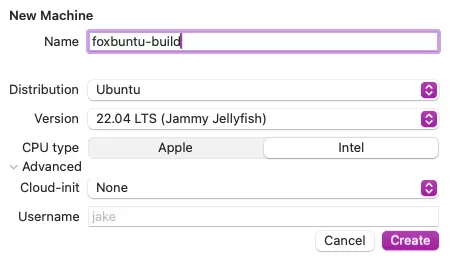
- Use a virtualization environment such as OrbStack to run an Ubuntu 22.04 LTS installation. Choose ‘Intel’ for the machine type. OrbStack will virtualize an Intel-based installation of Ubuntu even when running Apple Silicon.
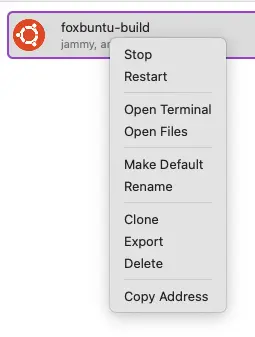
- Open a terminal to the virtualized Ubuntu linux host.
- Install the prerequisite software. Git and wget to pull down the required scripts and source files. DNSMasq is required on the Ubuntu host in order to forward DNS entries from inside the chroot:
sudo apt install git
sudo apt install wget
sudo apt install dnsmasq
- Follow the rest of the steps starting from 3A above.