mirror of
https://github.com/femtofox/femtofox.git
synced 2026-11-21 15:36:35 -05:00
0
Building Foxbuntu (WSL)
Tom edited this page 2025-06-06 09:57:32 +01:00
This page provides a guide to build your own Foxbuntu image from scratch using the Windows Subsystem for Linux (WSL2).
-
Install wsl2 using this guide here.
-
Install Ubuntu 22.04 in WSL (Microsoft store)

- Open Ubuntu

3a. If you are not starting from scratch, i.e. you have previously built an image, run sudo rm -r * to clear the old files
- Run
wget https://raw.githubusercontent.com/femtofox/femtofox/refs/heads/main/environment-setup/foxbuntu-builder.sh -O foxbuntu-builder.sh
4a. Run chmod +x foxbuntu-builder.sh to enable execution
- Run
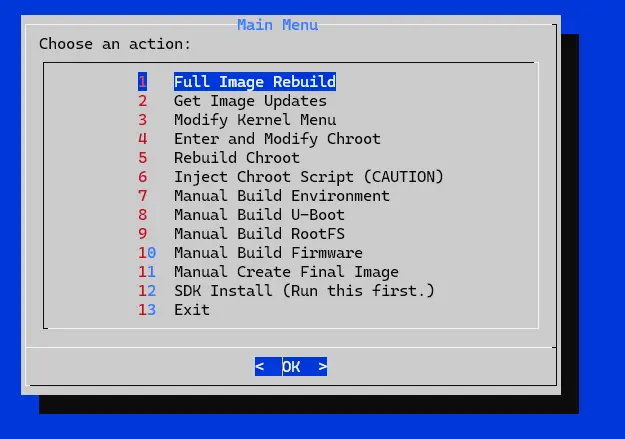
sudo ./foxbuntu-builder.sh
!
-
Choose option 12, and follow instructions
-
Find the built image in
/home/$usr/luckfox-pico/foxbuntu.img -
Follow the instructions in Getting-Started to flash a suitable SD card